THE CAREER EDIT / HUMAN + AI
Your story.
Worth telling.
Bring your experience. Shape it with AI. Build a considered resume, rehearse your interview, and take the next step with confidence.
You bring the experience. Your Agent helps it shine.
Your Agent asks and follows up. You build confidence.
Your Agent suggests. You choose what makes the cut.
01 / AI CONNECTORAvailable now
Your AI, connected
to the whole workspace.
Connect the AI you already use. It can analyze interview notes into editable AI documents, create and refine resumes, and work with other documents, career records, and sharing through the available API. Every action follows your account permissions.
- Analyze interview notes into editable answers
- Create resumes and refine experience and layout
- Work with career records and sharing within your permissions
An illustrative request asks AI to analyze interview notes and improve an existing resume. The preview shows an editable answer document and a resume change, both within account permissions.
01 / 04Tell your AI what to do across the workspace.
02 / WRITE & GENERATE
From a direction.
To a draft of your own.
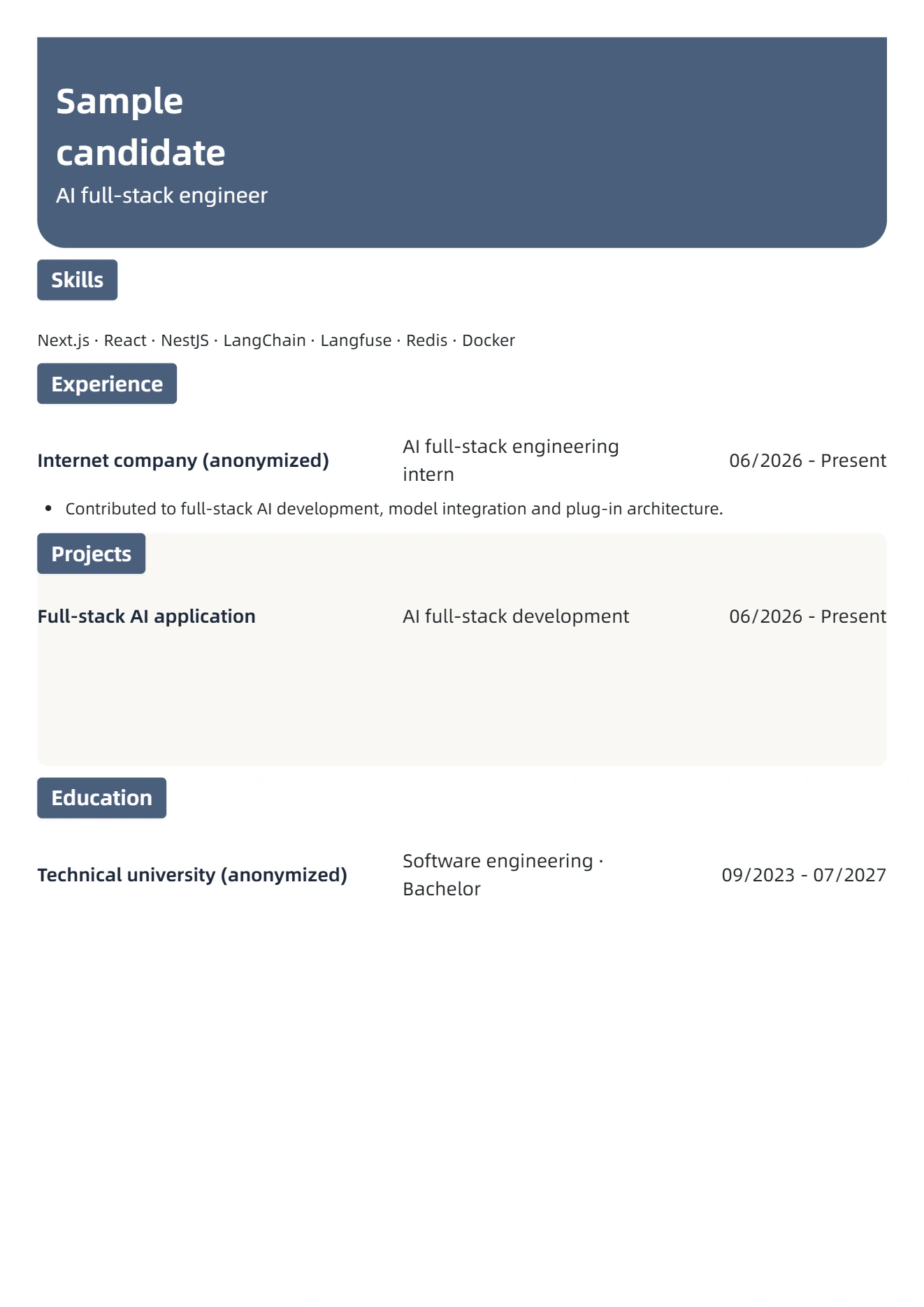
Write with a live preview, or let your Agent start a draft from your target role and template. Keep shaping it with your own experience.
ONE RESUME. ONE WORKSPACE.
03 / AI Practice
Your materials.
Living AI documents.
Import interview notes, a resume, or role materials. AI turns questions into answers and related knowledge. Keep editing the source, answers, and exploration as documents, with automatic saving.
AI DOCUMENT
AI full-stack interview · Round one
Import interview notes, a resume, or role materials
How would you build a RAG app and stream model output to the frontend?
04 / FIND YOUR FORM
Same experience.
A different impression.
Quiet and minimal, structured and bold. Pick the style that feels like you. Change it anytime in the editor.
05 / READY FOR WHAT'S NEXT
Make it yours.
Take it with you.
A PDF for the application. A document for the next revision. Choose the format that fits your next step.
CHOOSE YOUR FORMAT
A polished PDF, ready for your next application.
A FEW GOOD QUESTIONS
A little clarity.
Before you begin.
Do I need an account?
Sign in to create and export your resume. Available methods: WeChat sign-in.
Where is my resume saved?
Guest drafts stay in this browser. Signed-in resumes are saved to your account. Browser drafts migrate after sign-in. AI features send relevant content to the configured provider.
Can I change the template later?
Yes. Switch templates in the editor and keep your content. You can also adjust type, spacing, and color.
Which formats can I export?
PDF, Word, Markdown, and JSON are supported. Use PDF for applications and JSON to keep an editable backup.
THE NEXT PAGE IS YOURS
Your next chapter.
Starts with you.
One page. A world of possibilities.